


Explore Templates


Features

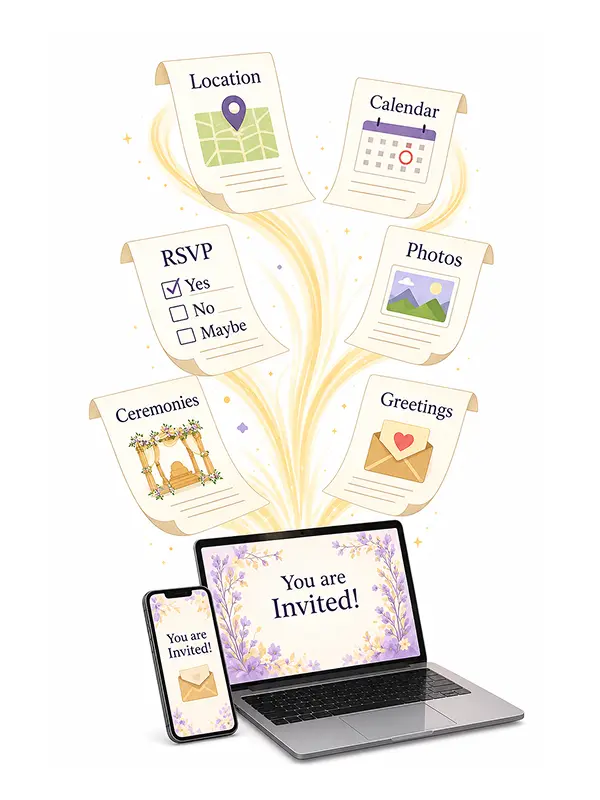
Instant Directions
Guests can open the venue location and get directions in a single tap.

RSVP Tracking
Collect guest responses effortlessly and know who's attending.

Add to Calendar
Add the event to guests' calendars instantly - Google, Apple or Outlook.

Live Updates
Update event details anytime, and changes reflect instantly for all guests.

Interactive Experience
More than a static invitation - an engaging experience guests can interact with.
Want to greet guests by name?
Common link
A single invitation link shared with everyone.
itsbalcony.com/invite/abc123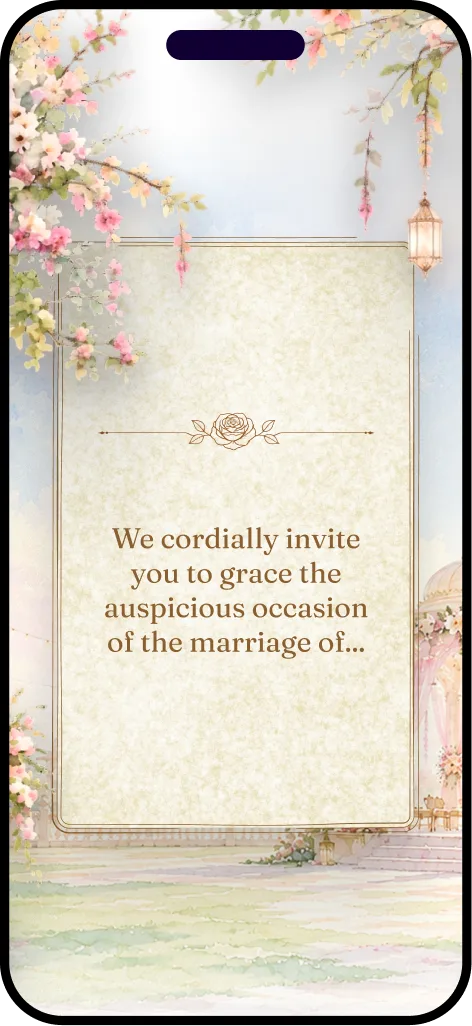
Best for quick and bulk sharing.
Personalized link
Every guest receives a personal greeting.
itsbalcony.com/invite/r/mrsharma&family123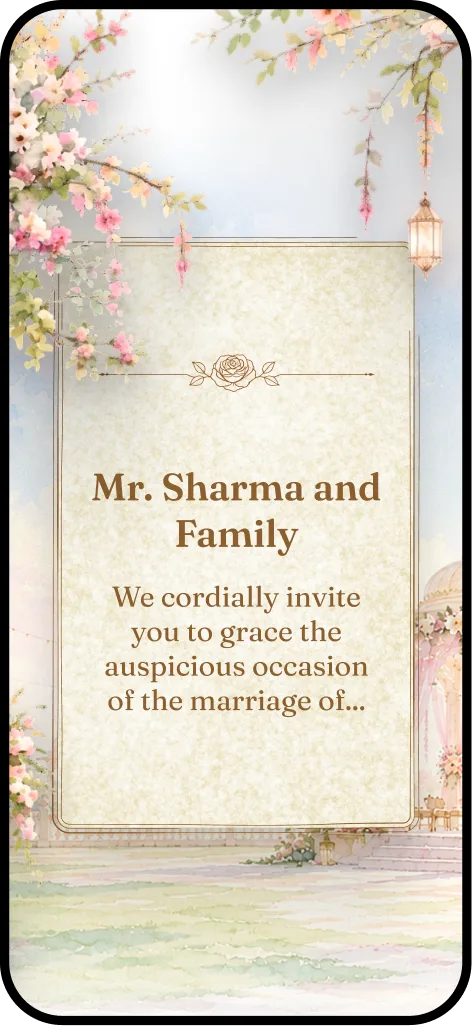
Best if you want to make guests feel personally invited.
With every invitation, you get
Your guests always see the latest details.
Change your mind about the venue? Caught a typo? Update your invitation and every guest link reflects it instantly. No resharing needed.
Up to 3 updates within 6 months of going live
FAQs
Can I edit my invitation after it is published?
Yes. You can save Draft changes as often as you like, and push those changes live up to 3 times within your 6-month active window.
What do I get when I buy an invitation?
One invitation, with everything in it: a common link you can share with everyone, the complete interactive experience, RSVP, and 5 personalized guest invitations included. Personalizing more guests than that is an optional add-on you can buy later - never something you have to decide up front.
Can guests RSVP from the common link?
Yes. The common link asks the guest for their name and number when they reply, so every response has somebody behind it and a second reply from the same number updates the first. Guests you have personalized reply from their own link, where you already know who they are.
What if I want to personalize more than 5 guests?
Add more personalization whenever you like, from your dashboard: up to 50 guests, or unlimited for a full wedding guest list. Everything you have already done stays exactly as it is, and everyone else keeps opening the same common link.
Can I see who has viewed my invitation?
You always see total views, unique visitors and a device breakdown for your invitation. For each guest you have personalized, you also see whether their invitation was delivered and opened, when they first and last viewed it, and how many times.
How long will my invitation remain active?
Every invitation stays active for 6 months from first publish. After that it remains live and viewable by guests - only further editing is locked.
What if some guests don't respond?
Pending RSVPs are highlighted in your guest list, and you can resend a guest their personal WhatsApp invitation link at any time with one tap.
Why choose Balcony Invites instead of a typical digital invitation image or video?
Because it is an experience, not a picture: tap-for-directions, one-tap save-the-date, live RSVP, the full event schedule and a gallery - all in a link built to shine when shared on WhatsApp.
About us
Invitations made simple. Celebrations made special.
At Balcony Invites, we make beautiful digital invitations that are simple to edit, easy to share, and designed to make every guest feel special. Our invitations make things easier for hosts too, from creating and personalising invitations to keeping track of who’s coming. Everything comes together in one simple, thoughtful experience, so you can spend less time managing invitations and more time enjoying your celebration.
Get in touch
Questions about a template, an order, or an invitation you're working on? Send us a note and we'll get back to you by email.